Desktops & Laptops · HP
HP GoogleBook 14 review: a week in Mallorca with no other computer
Verdict
If your current laptop is one you don't love any more and your day is Chrome tabs, emails, documents, a bit of Netflix and some photo tidying, this is the nicest laptop I've used for that job, and the first one that properly talks to your phone. If your work lives in heavy desktop software, there are other laptops for you.
Pros
- The nicest laptop I've used for Chrome tabs, email, documents and photo tidying, and it feels grown up doing it
- A 14in 3K OLED touchscreen at 500 nits and 120Hz: the best screen I've seen at this price
- Keyboard and speakers better than they need to be. I made fewer typos than I do on my usual laptop
- Your Android phone's actual apps on a big screen, and its folders sitting next to the laptop's in Files, over Wi-Fi
- Sealed box to usable in about 20 minutes, from holding your phone up to a QR code
Cons
- No card reader, so the dongle I was trying to leave behind came to Mallorca anyway
- Lightroom here is the Android Lightroom: lovely for a quick grade on that OLED, not the desktop feature set
- Heavy video editing, music production, 3D or serious gaming want something beefier. This video wasn't edited on it
Pretty much every review of the HP GoogleBook 14 says the same thing: absolutely gorgeous hardware, and not a lot about the software. So I put that to the test. I left my other laptop at home and took this to Mallorca as my only computer for a week of work, and back in the UK it has been going everywhere with me since. Photo editing, emails, scripts, cafes, airports, and publishing a full phone review from a hotel room against a hard deadline.
A transparency note first, because it matters: HP paid for the video this piece comes from, and the laptop is HP’s, on loan. They saw it for factual accuracy, not for opinion. It’s not mine, which is why you won’t see me dropping it onto concrete below. Everything else in here is what three weeks of real use told me.
I’m not pretending the other reviews don’t exist. But almost all of them were written at a desk, by people who need a desktop app for a living, asking whether this replaces the computer they’ve used for years. Fair question. It just isn’t the one most of you asked me. When I teased this machine, the questions were about how it copes with real life: travelling, working, the creative stuff on the side.
If you’re in a hurry, here’s the quick version. If your current laptop is one you don’t particularly love any more, and your day is lots of Chrome tabs, emails, documents, maybe a bit of Netflix in the evening and some photo tidying, this is the nicest laptop I’ve used for that job. And it’s the first one that properly talks to your phone, especially if that phone is an Android.
Why Snapdragon matters more than the spec sheet suggests
Where other companies might cut corners on processing power to keep the price down, HP went the other way. The whole operating system here is built on top of Android, and Snapdragon have been making Android chipsets for years, so you’re getting the same chip family as your phone. That’s why your Android apps run natively rather than as web versions, and it’s a big part of why the battery lasts the way it does.
The chip is the Snapdragon X Elite, and it opened the door to workloads that genuinely surprised me. Let’s be real about the ceiling, though. If your work is heavy video editing in full desktop software, professional music production or high-end 3D, you need something beefier, and I’ll show you exactly where that line sits further down.
The hardware the other reviews were right about
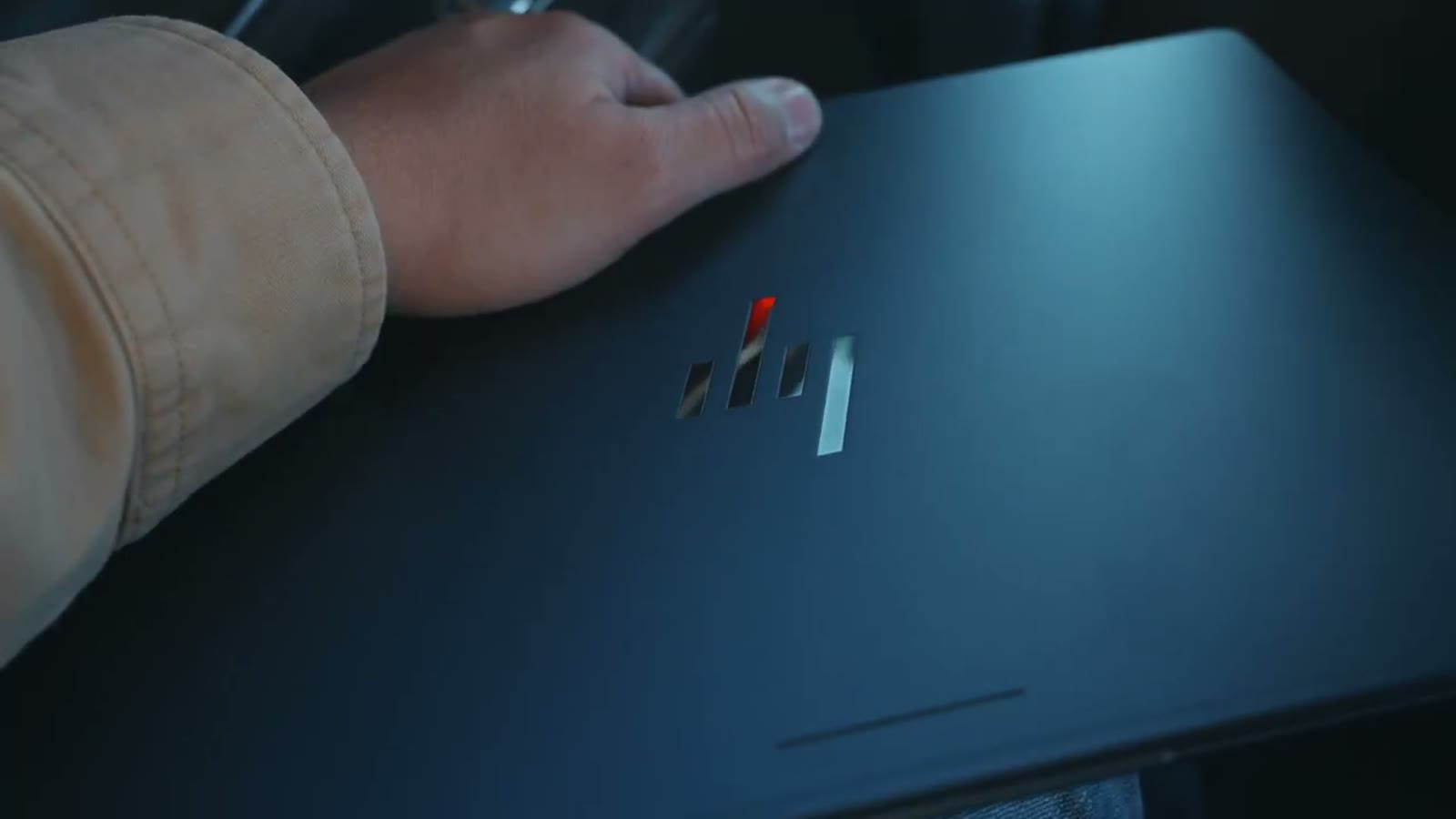
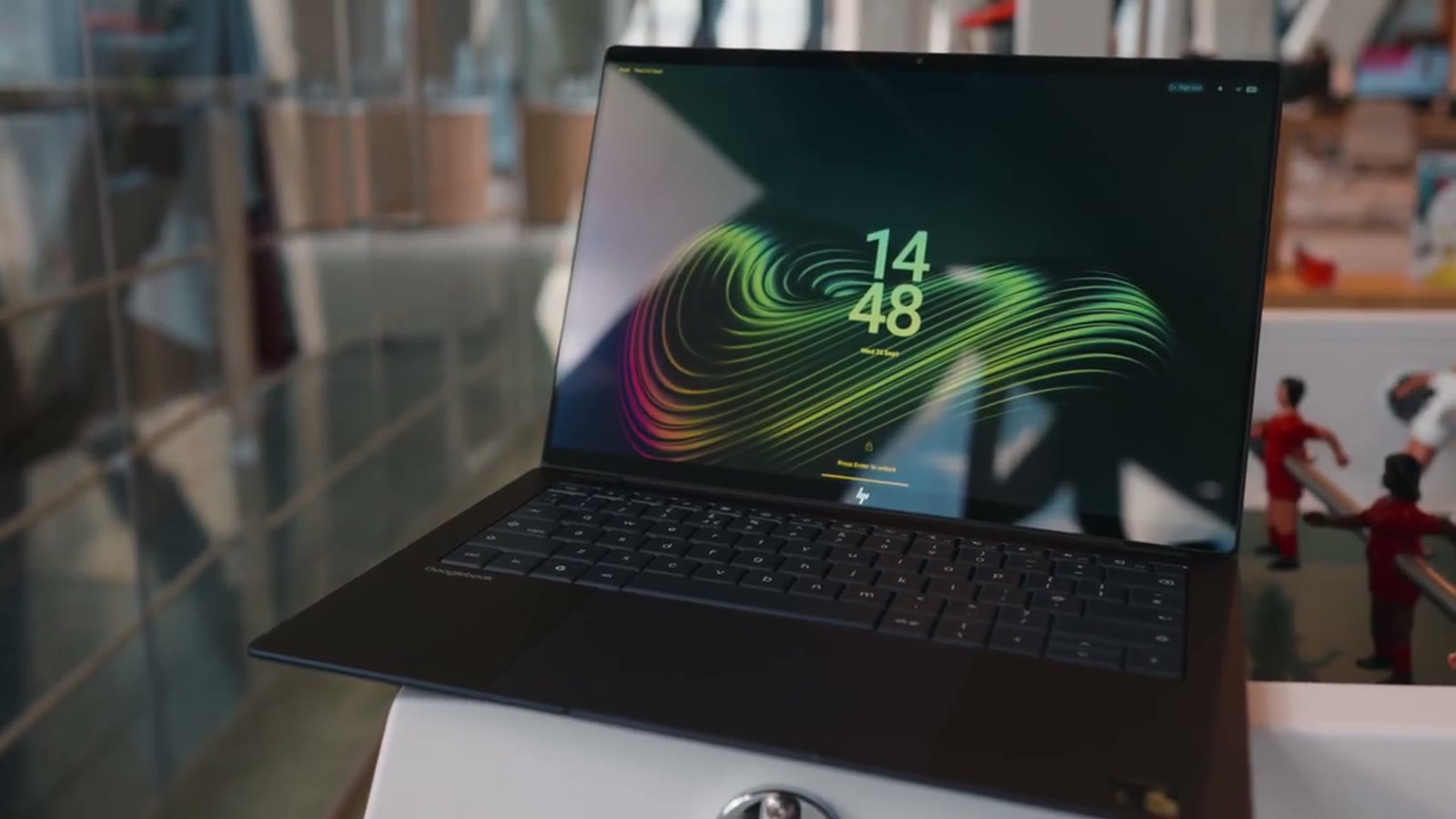
I first saw this at HP’s showcase in the Gherkin. I was meant to be there an hour and stayed the whole afternoon, which tells you something. The first thing you notice is the colour: HP calls it Atmospheric Blue, and in person it’s a deep navy that reads as black until the light catches it. Very classy, and it stays clean. Fingerprints don’t take to it the way they do to most lids.
The body is three-piece sandblasted aluminium, up to half of it recycled, and my first thought was that it reminded me of HP’s Spectre laptops. Turns out the same team built it. It’s 13.95mm at its thickest and 1.24kg. I’ve tried thinner-on-paper laptops that felt light and also flexed. This doesn’t. It opens with one finger, there’s no wobble in the hinge, and HP says they’ve tested that hinge for 20,000 opens and the keyboard for 10 million keystrokes.
Then there’s the light bar on the lid, which HP calls the Glow Bar. It glows when you open the lid, shows your battery level while it’s charging and pulses blue when you’re talking to Gemini. Is it necessary? Honestly, probably not. Did I enjoy it? Absolutely.
Open it up and you get my personal highlight: a 14in 3K OLED, 2880 by 1800, 500 nits, up to 120Hz, and it’s a touchscreen. Underneath it, a fantastic keyboard with proper travel, and a haptic touchpad that clicks the same whether you press it at the top or the bottom. Coming from years of premium laptops, that’s the first thing that made me relax. The best way I can put it: it feels grown up.
The rest of the sheet, because it matters later: up to 32GB of RAM, up to 1TB of storage, two USB-C ports, a 5MP webcam with a physical privacy shutter, a fingerprint reader in the power key, face unlock, four speakers. It starts at $1,199 and £1,199 in the UK.
Twenty minutes from sealed box to your phone’s apps
The unboxing is no frills and the setup couldn’t be easier. You don’t type anything in. You hold your phone up to a QR code and it pulls your Google account, your Wi-Fi, your photos and your apps across, and you can choose what comes and what doesn’t. Add a fingerprint or several, add your face, run the updates. Sealed box to usable in about 20 minutes, faster on good internet or with fewer photos to move.
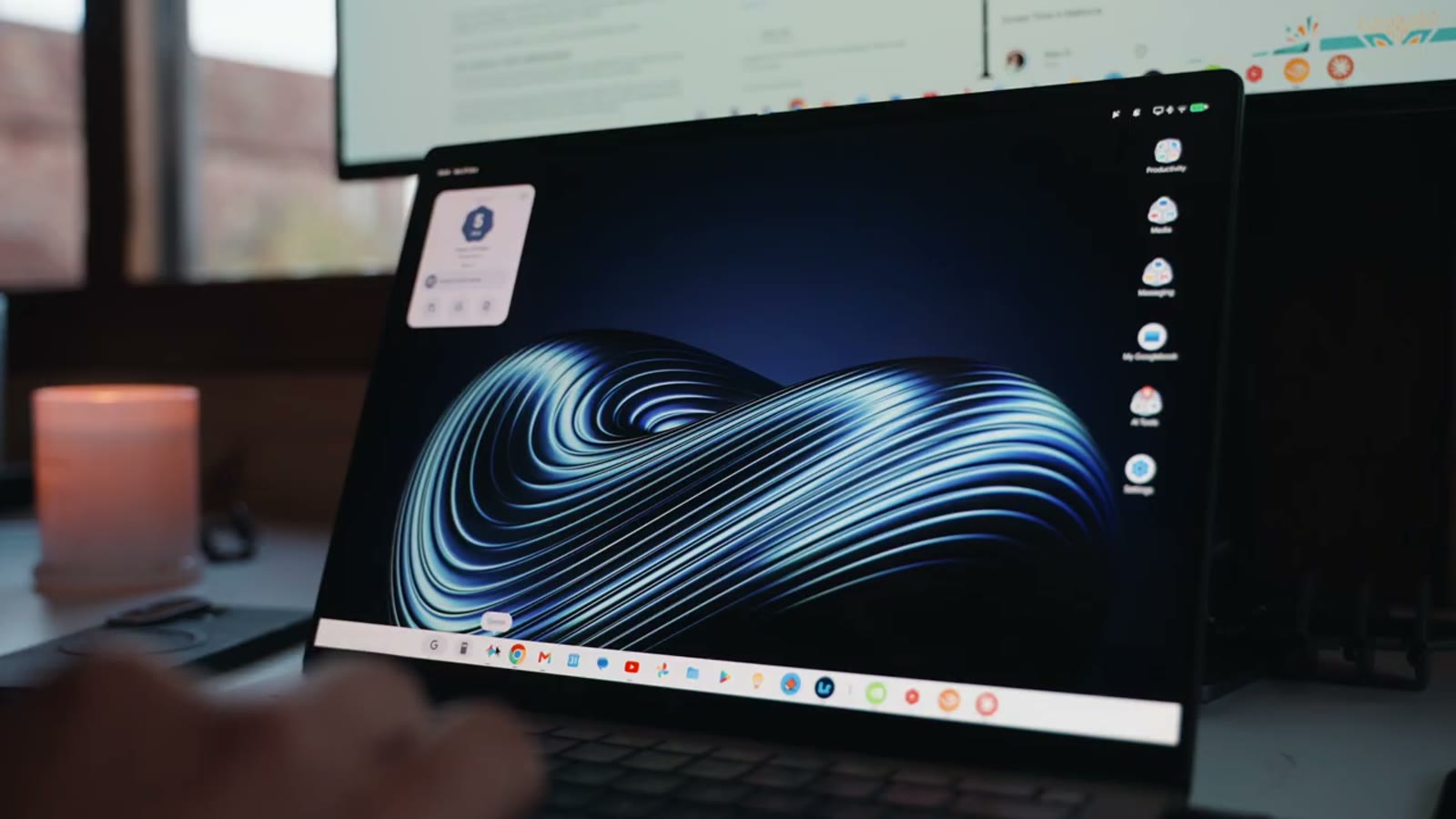
Here’s the bit Android people will get instantly. Your phone’s apps show up on the laptop, and not the web versions: the actual apps. WhatsApp, your banking app, your airline app, which in my case got plenty of use. They’re just there, on a big screen with a keyboard. Set up multiple desktops early so you don’t cram this beautiful screen.
A week in Mallorca with no other computer
I’ll be honest about why I normally hate working at airports. It’s a faff: finding a plug, finding the brick, finding the cables, and then the Wi-Fi is terrible anyway. A laptop that doesn’t chew through its battery and is light enough to whip out and work on, almost like a tablet, changes that. If you commute or travel a lot, that convenience is going to mean a lot. (If the alternative you’re weighing is a tablet with a keyboard, my M5 iPad Pro vs Galaxy Tab S11 Ultra test is the other side of that question.)
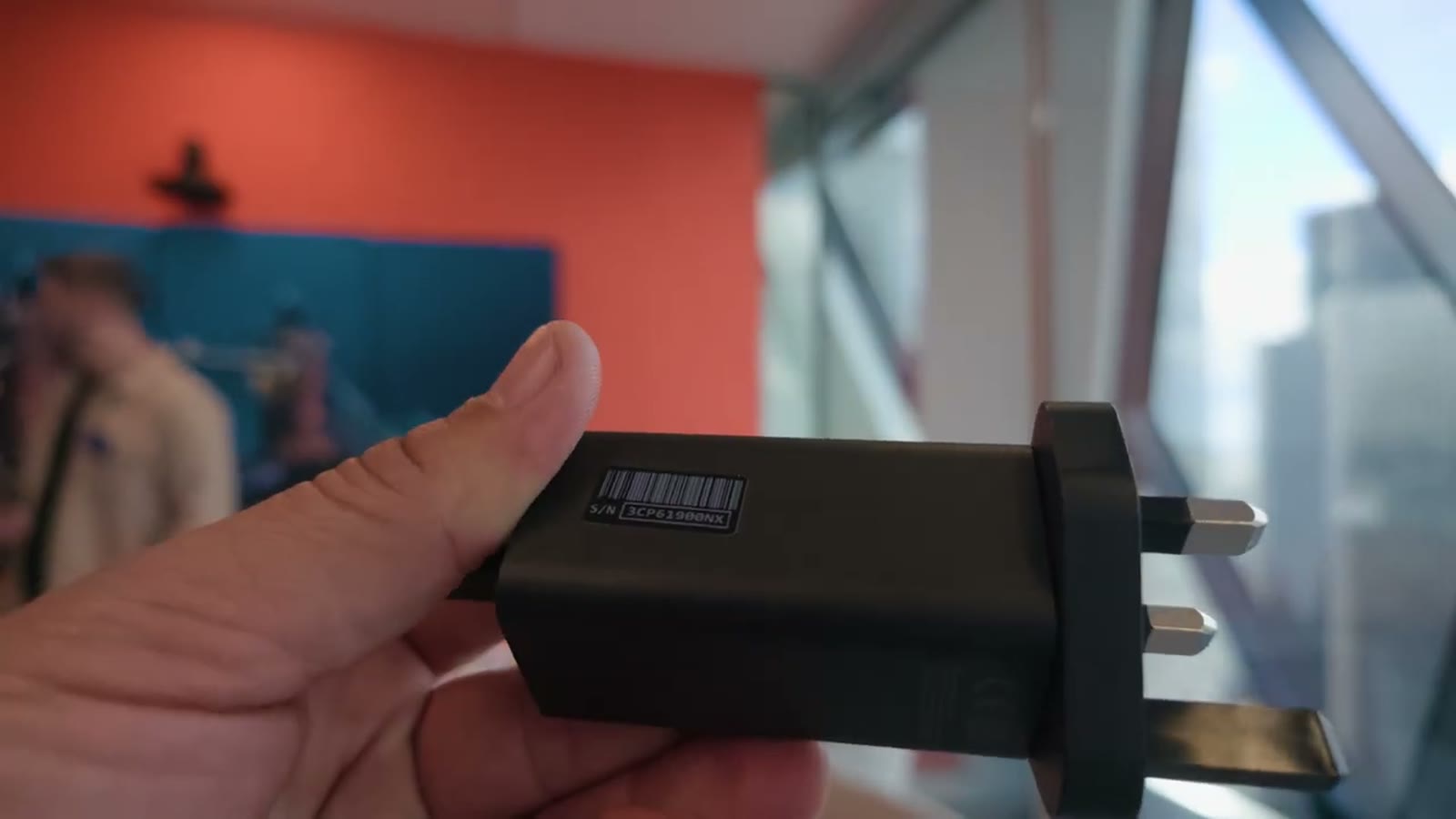
HP claims 19 hours of battery life on the standard video-playback measurement, and the charger in the box is a 65W GaN brick, small enough to be a travel companion rather than a burden. The flight is where thinness stops being a number and becomes useful: it sits on an easyJet tray table, which I wouldn’t dream of trying with my other laptop. The OLED and its brightness earned their keep too, even with the window shade up, and because it’s the actual Netflix app, you can download a few episodes the night before. Which, in my case, meant that night.
The shooting plan for the video was written between the plane and the back of a taxi, about an hour of typing, and the keyboard together with that display is the best bit of the whole laptop. The keys are spaced a touch wider than usual, the dish is a bit deeper, and I made fewer typos than I normally do. The trackpad is huge for a laptop this size, with decent haptics.
Photos, Lightroom and the honest limit
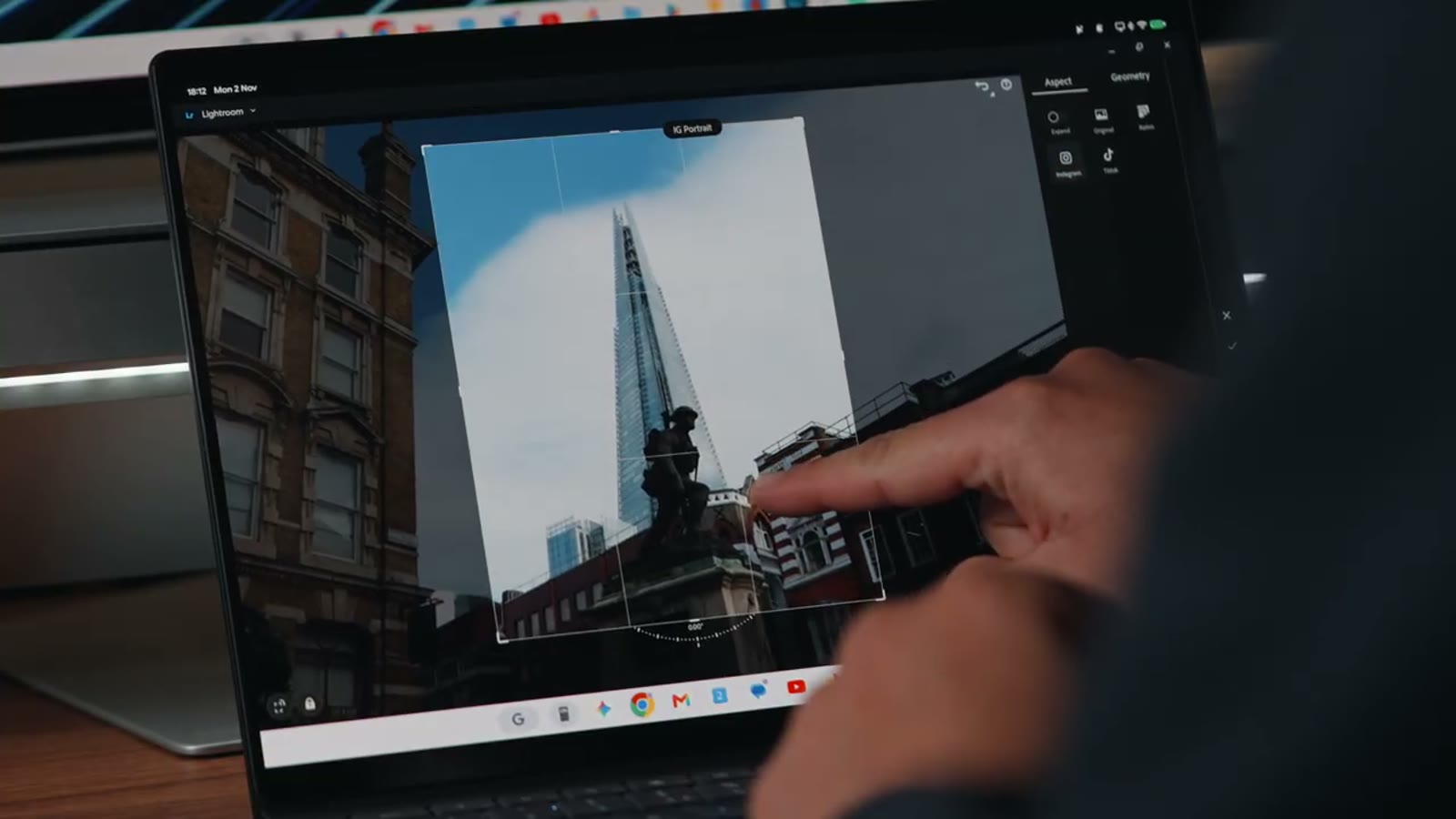
Back at the hotel after a day of shooting, what I want to do is go through my photos on a bigger screen. Normally that’s a cable, a card reader, an import and twenty minutes I don’t have. On this, I opened the Files app and the phone was just there: phone folders next to laptop folders, drag the day’s photos across over Wi-Fi. Then open them full screen on the OLED and cull them with a finger. Swipe, keep, bin. It’s one of those moments where a touchscreen on a laptop makes complete sense, and I think it’s criminal that some far more expensive laptops still don’t have one in 2026.
Then the editing, and here’s where I owe you some honesty, because this is the first place the desk reviews have a point. Lightroom on here is the Android Lightroom, the same one you’d run on a tablet. For a quick grade on a 3K OLED with touch, it’s lovely, and it’s very usable even for large batches. Just don’t expect the full desktop feature set.
The Gemini bits I actually used
Something I realised while using it: this breaks away from the usual heavily loaded operating systems, and the simplicity runs from the design all the way through the experience. Get your work done without faffing, in a familiar way. I can appreciate that some people, me included at times, still need the traditional stuff. For a lot of people, this is what they actually want from a laptop.
Of the built-in software, three things earned their place, whether I was on a terrace in Mallorca or in a cafe in London. Magic Pointer: wiggle the cursor and Gemini wakes up, pointed at whatever’s on screen. I wiggled it over a photo from the launch venue and asked where it was, then had it turn my messy shot list into a tidy table for my editor, in seconds.
Rambler, which made me laugh. You talk, badly in my case, with all the ums, and it hands you back clean text. I dictated several emails this way over these weeks and sent them without editing. If you think faster than you type, that’s not a gimmick.
And the one that surprised me most: I asked it to build a live widget for my next trip, with the flight number, the hotel and the dinners. It built it. It sits on the desktop with my travel info, so I’m not opening the airline app every time. A basic example, and you can imagine where it goes. Under load, for what it’s worth, the cooling stayed comfortable even after a busy hour exporting hundreds of photos.
Webcam, ports, and the one thing I missed
The webcam is decent, and I know that matters for the calls. It’s a 5MP camera, noticeably better than most laptops at this price, with a physical shutter switch so you know it’s off. Face unlock uses the same camera and worked first time in a dim hotel room.
Two USB-C ports, both charge, both drive a display. My gripe, as someone who shoots on proper cameras, is that there’s no card reader, so the dongle I was trying to leave behind had to come anyway. Not major, and if you don’t shoot on a camera you won’t care.
What did I actually miss from my usual laptop? One thing, and it’s particular to me: my desktop video editor. This video was not edited on the GoogleBook. Perhaps it could be if I pushed, but it was never meant to be, and that’s the realistic limit. Everything else I do on a trip or a commute, it coped with very nicely.
Who this is for, and who should wait
This is not a replacement for a full desktop workstation, and if your job genuinely needs one, it won’t pretend to be. But most of the people asking me about this laptop aren’t those people. They want a stylish laptop with software that doesn’t get in the way, and they want to keep things simple. For them, this is absolutely the laptop I’d point at. The build is properly premium, the screen is the best I’ve seen at this price, the keyboard and speakers are better than they need to be, and it’s the first laptop where my phone felt like part of it rather than a thing on the desk next to it.
Who should think twice? Anyone whose job lives in hefty desktop software, and anyone who games seriously on a laptop. There are different laptops for those.
On price, it starts at $1,199, and here’s where I’d save you some money. The base storage is plenty, because the box comes with a year of Google AI Pro and 5TB of cloud storage. Unless you know you need the extra storage on day one, don’t pay for it. Spend it on a decent mouse or one of those nice sleeves instead. That’s a better investment.
As I said in the teaser, it’s refreshing to see something new in this industry: a different approach to usability, and proof that you can build a powerful, stylish machine without cutting corners on the hardware. If you’d like me to put it up against another laptop, tell me which one.
FAQ
Is the HP GoogleBook 14 good for photo editing? For culling and quick grades, yes. The HP GoogleBook 14’s 3K OLED touchscreen makes sorting a few hundred photos by hand genuinely pleasant, and your phone’s folders appear in the Files app over Wi-Fi. Lightroom on it is the Android version, so it’s fine for batches and basic edits, not the full desktop feature set.
What is the HP GoogleBook 14 battery life like? HP claims 19 hours on the standard video-playback test. In my use the HP GoogleBook 14 got me through airports, a flight and a day of work without hunting for a plug, which is the point: it’s light and frugal enough to use like a tablet. The 65W GaN charger in the box is small enough to travel with.
Does the HP GoogleBook 14 run Android apps? Yes, natively. The HP GoogleBook 14 runs an operating system built on Android with a Snapdragon X Elite chip, so your phone’s actual apps, WhatsApp, banking, airline, Netflix with downloads, run on the laptop rather than as web versions. Setup pulls them across from your phone via a QR code in about 20 minutes.
Who is the HP GoogleBook 14 for? Someone whose day is Chrome tabs, email, documents, a bit of Netflix and some photo tidying, and who wants a premium, simple laptop that talks to their Android phone. It starts at $1,199 with a year of Google AI Pro and 5TB of cloud storage. Heavy video editing, music production, 3D and serious gaming want a different machine.
Behind The Lens is my free newsletter, and it’s where the longer testing lands first: what a second month with the GoogleBook changes, which laptop it goes head to head with next, and the occasional honest “don’t bother” before it reaches a video. Sign up here.
You can also find me on YouTube and Instagram if you’d rather watch than read.
Specs
| Chip | Snapdragon X Elite (X1E-80-100) |
|---|---|
| Memory and storage | Up to 32GB RAM, up to 1TB |
| Display | 14in 3K OLED, 2880 x 1800, 500 nits, up to 120Hz, touch |
| Body | Three-piece sandblasted aluminium, 13.95mm, 1.24kg, Atmospheric Blue |
| Ports | Two USB-C, both charge and drive a display. No card reader |
| Camera and unlock | 5MP webcam with a physical shutter, face unlock, fingerprint in the power key |
| Battery | 19 hours claimed (video playback), 65W GaN charger in the box |
| Price | From $1,199, with a year of Google AI Pro and 5TB of cloud storage included |